

Introduction
The PM Awas Yojana is one of India’s largest loan schemes.
I only realized this a short while ago, when I noticed that millions of people were repeatedly searching for the exact same query: “How to apply for the PM Awas Yojana for the first time?”
Therefore, I decided to explain everything there is to know about it today—and I will also share the best way to apply.
If you truly want to learn the easiest method for applying, then stay with me.
Before you apply, there are a few important points you need to know, which I have explained below.👇
“Every family deserves a safe home.”
Eligibility Criteria of PMAY in India
To apply for any scheme or government program, it is absolutely essential to first understand its specific eligibility criteria and application rules.
Many people make precisely this mistake, only to complain later that their application for the PMAY (Pradhan Mantri Awas Yojana) is not being approved.
Listed below are several key points to keep in mind that can help make the application process much smoother for you:
- Verify whether any member of your nuclear family already owns a permanent (pucca) house.
- Determine whether your residential location falls under a rural or an urban area.
- Double-check to ensure that the details on your Aadhaar Card match the details provided in your other documents.
- Your Income Certificate must be up-to-date.
- All family-related information provided must be accurate.
Keeping all these points in mind can make your registration process significantly easier and help ensure its successful confirmation.
PMAY Urban Registration Process Step by Step
If you belong to a city or live in a city, then applying for PMAY is very easy for you.
Just follow these few steps to apply easily and get instant approval:
Step 1: Visit Official PMAY Urban Portal
You can visit the official portal by searching for it on Google.
Alternatively, you can navigate directly to the PMAY Urban portal by clicking on this link.
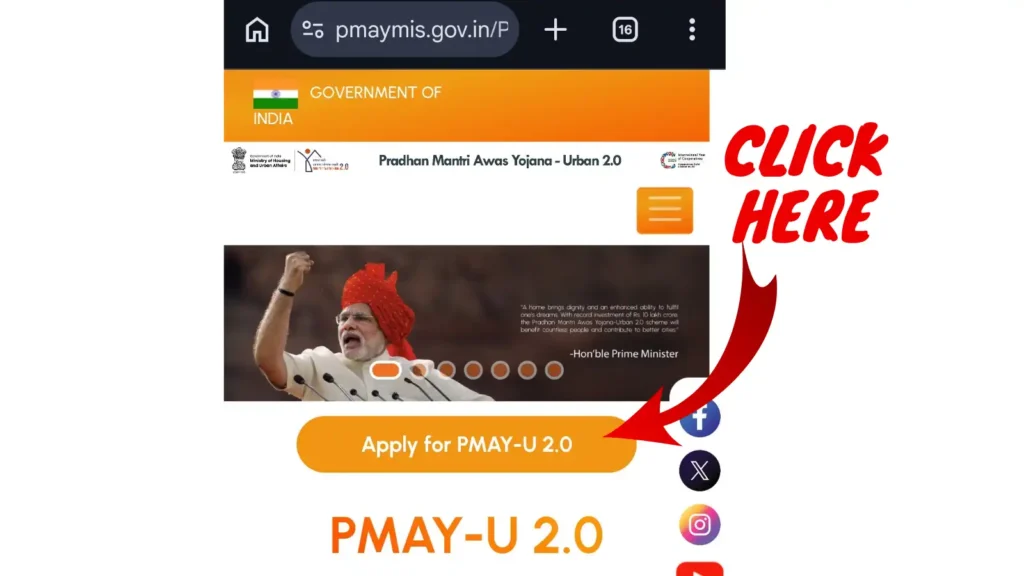
In this image, you will see an option labeled ‘Apply for PMAY-U 2.0’; click on it to proceed to the next step.
Now, you will see a page displaying instructions, which look something like this:
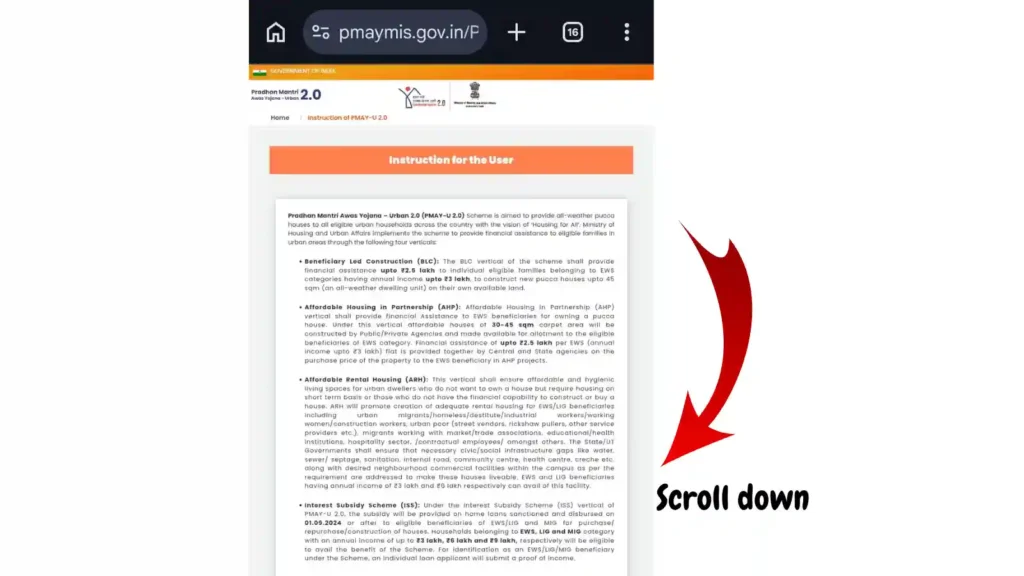
If you wish, you may read these instructions carefully. Then, scroll down and click on ‘Click to Proceed’.
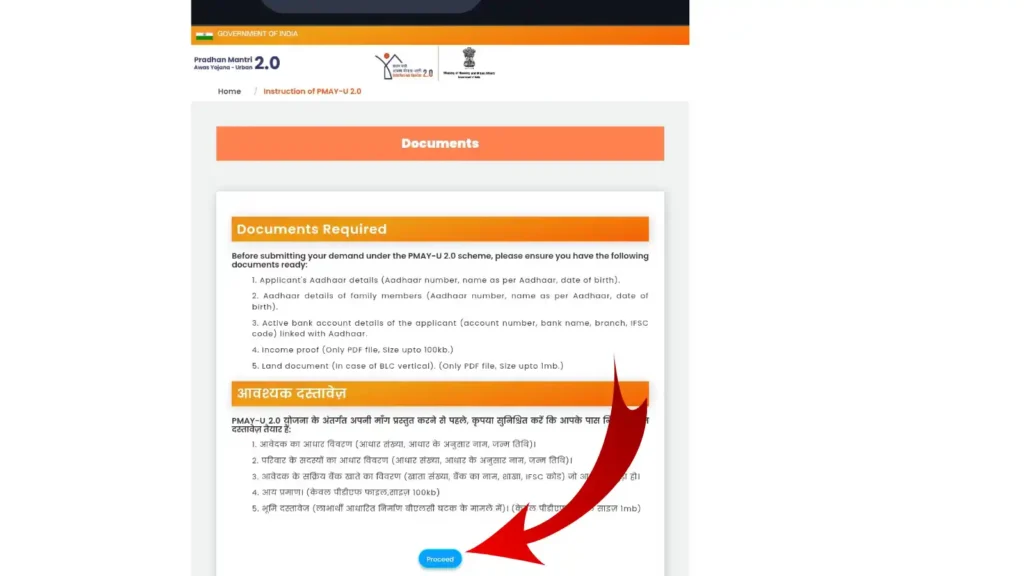
After clicking on ‘Click to Proceed’, the following interface will appear before you: ↓
Then, click on ‘Proceed’ to begin the registration process.
Step 2: Choose Application/Beneficiary Category
Now that you have reached the actual registration stage, you should see this interface.
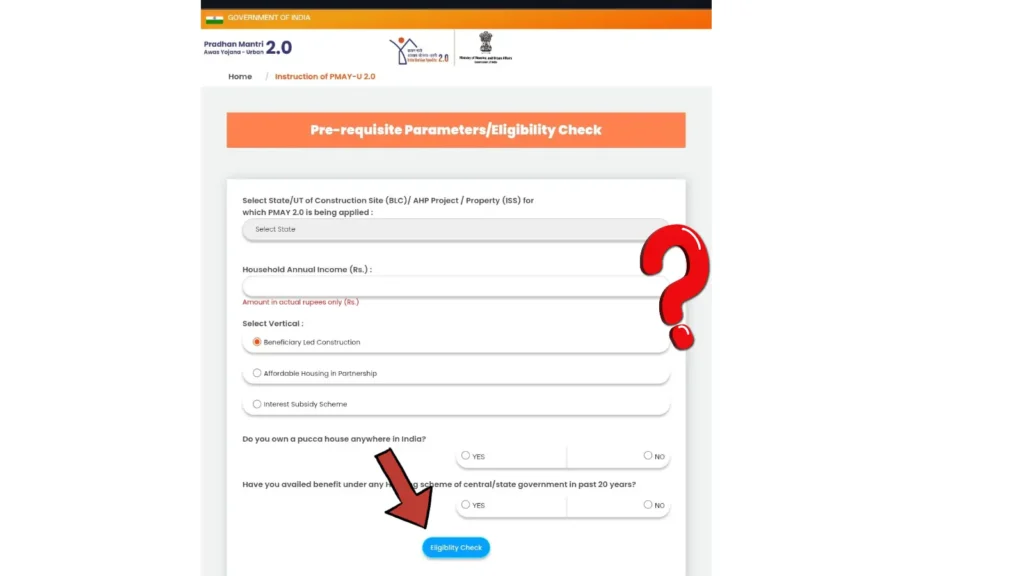
In this image, you need to fill in the following information:
i) Select your State
ii) Annual Family Income
iii) Under the ‘Select Vertical’ option, you will see three choices (Please select one of these three categories).
iv) In this step, simply select ‘No’.
v) If you are applying for the first time, simply select ‘No’.
After completing all these steps, click on ‘Check Eligibility’.
Top 5 New Criminal Law which can affect your lifestyle: Check Now
Step 3: Aadhaar Verification
Once you clicked on ‘Check Eligibility’, you would have been redirected to the next page. Here is a screenshot of it: ↓
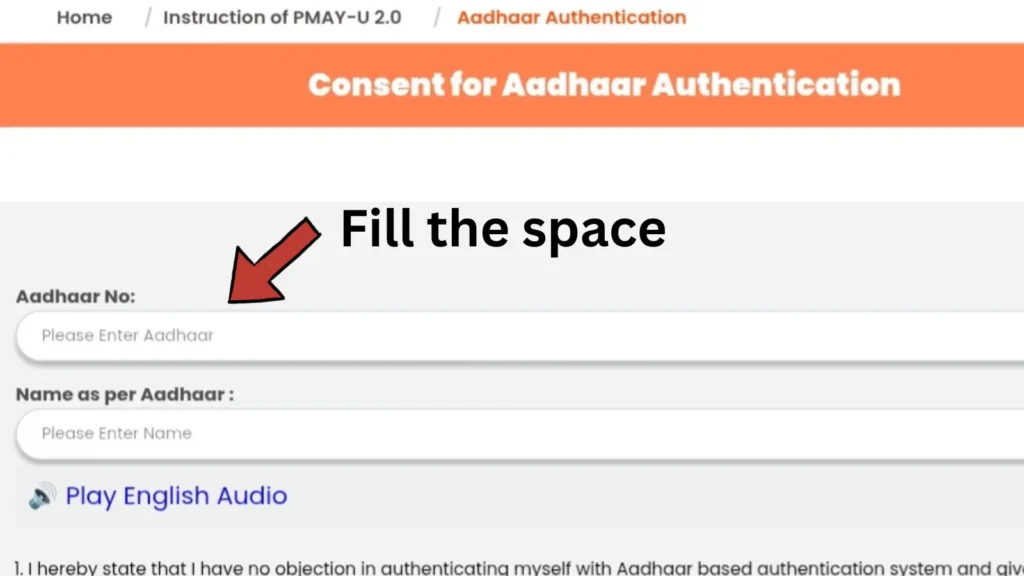
As per this image, enter your Aadhaar number in the first field, and then enter your name in the second field (exactly as it appears on your Aadhaar card).
Note: Ensure that you enter all information correctly while performing these steps.
Now, click on ‘Generate OTP’ and enter the OTP. (The OTP will be sent to the mobile number linked to your Aadhaar card).
Step 4: Fill Income + Family + Property Details
After successfully completing Step 3, you will need to fill in some additional important details in the next step.
I have listed all the necessary details below ↓:
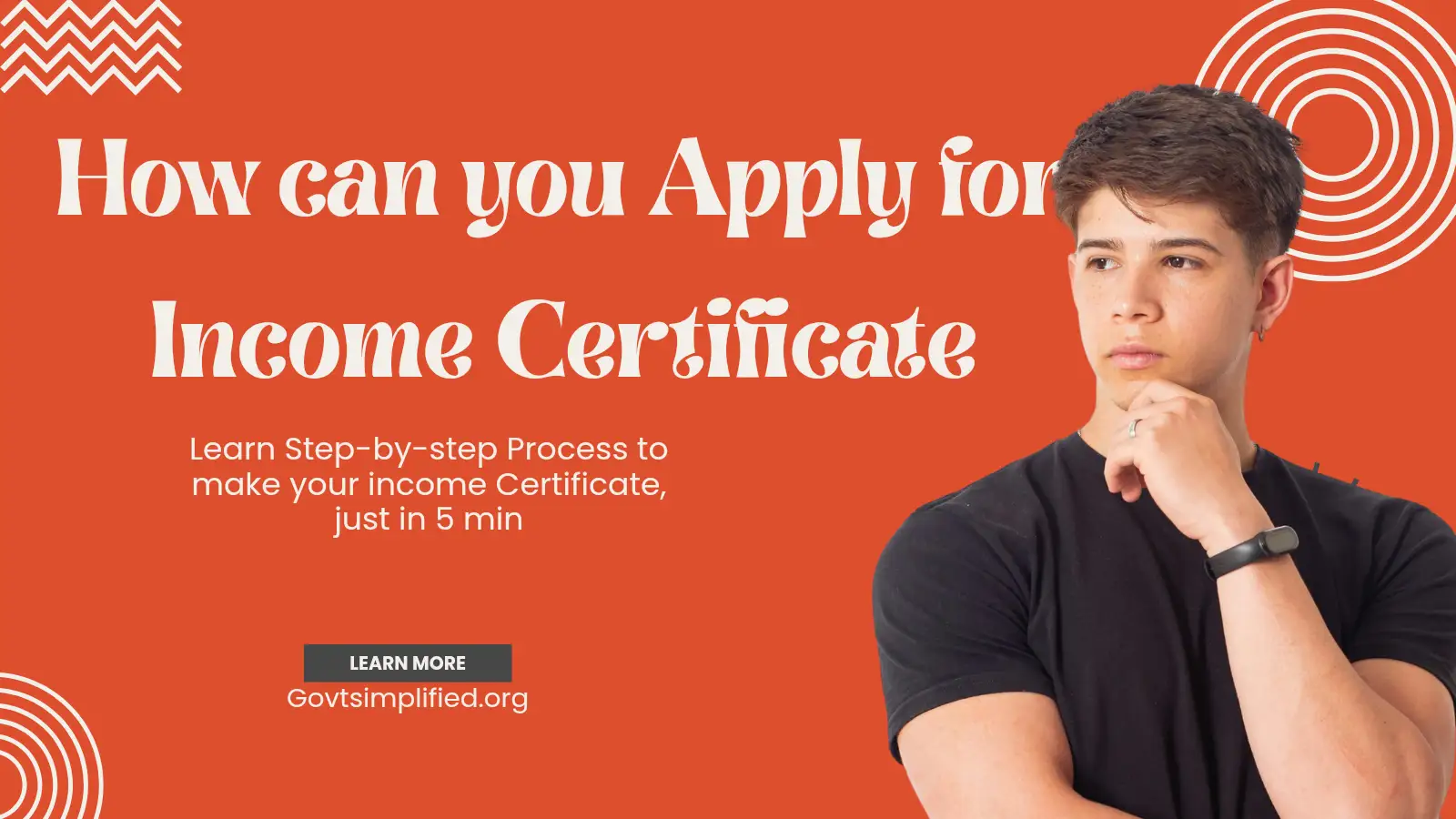
i) Your Family Income (Apply for a Family Income Certificate)
ii) Property details
Step 5: Upload Documents
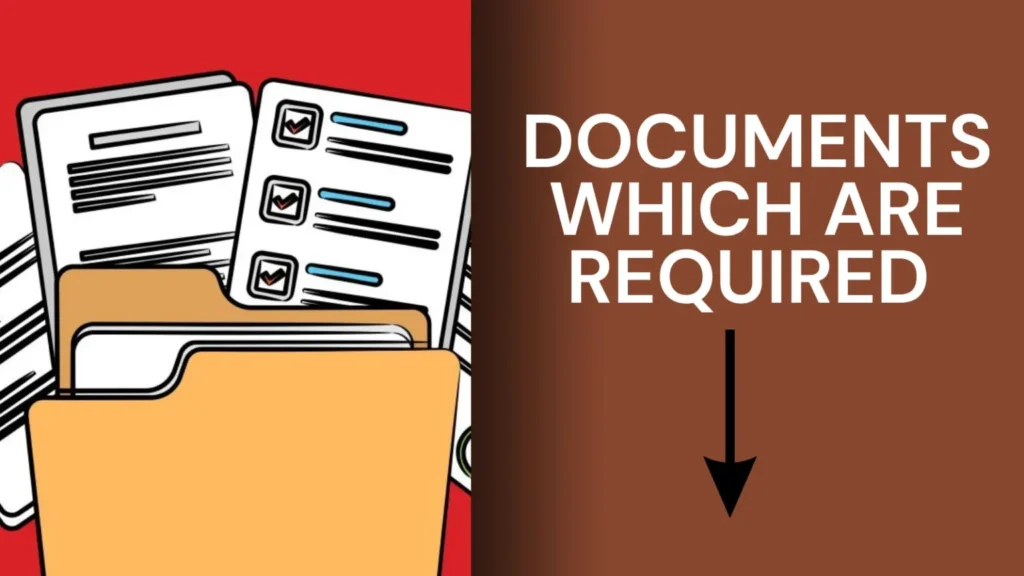
In Step 5, please upload all the documents mentioned— such as proof of income, identity proof, and related records.
*Note: The information within all uploaded images must be clearly visible.
Step 6: Submit & Track Application
In the final step, simply submit all the documents; it is also crucial to track the status of your application periodically.
PMAY Gramin Registration Process
If you reside in a village, the process of applying for the PMAY scheme may be slightly different for you.
Here, I have outlined a step-by-step process to ensure you do not have to face any unnecessary difficulties:
Step 1: Check Eligibility
First and foremost, confirm that you are a resident of a village.
Step 2: Visit the Gram Panchayat / Authorized PMAY-G Channel
Visit your village’s Gram Panchayat (Village Council) or the local self-government office. Link for related data (https://pmayg.dord.gov.in/netiayHome/Home.aspx)
Step 3: Submit Aadhaar + Family Details
Go to the Gram Panchayat office and submit a photocopy of your Aadhaar card, along with your family details, to a member of the Gram Panchayat.
*Note: Hand over your documents only to an authorized Panchayat member to prevent any potential misuse of your records.
Step 4: House Verification
The local authorities themselves will conduct this verification step to confirm whether you currently reside in a kaccha (temporary/non-pucca) house.
Step 5: Bank Details & Approval
Once the house verification is confirmed, a Gram Panchayat member will collect your bank details and grant you approval for the scheme.
If you want more details related to PMAY Gramin: Check here
What Happens After You Apply?
Once you have applied using the method I described, there is a 99.9% chance that your registration will be approved.
After completing the registration, you do not need to take any further action.
Following the submission, the government authorities will independently verify everything:
- Identity details
- Income category
- House ownership records
- Local/state authority review
- Beneficiary eligibility
- Document consistency
PMAY Status Check with Mobile Number
After applying for the Pradhan Mantri Awas Yojana (PMAY), you should regularly check its status.
You can check your PMAY status using your mobile number by following a few simple steps.
The procedure for checking the status differs slightly for PMAY Urban and PMAY Gramin:
Check Status PMAY Urban
If you have applied for the Pradhan Mantri Awas Yojana from an urban area, you can check your application status online.
Step 1
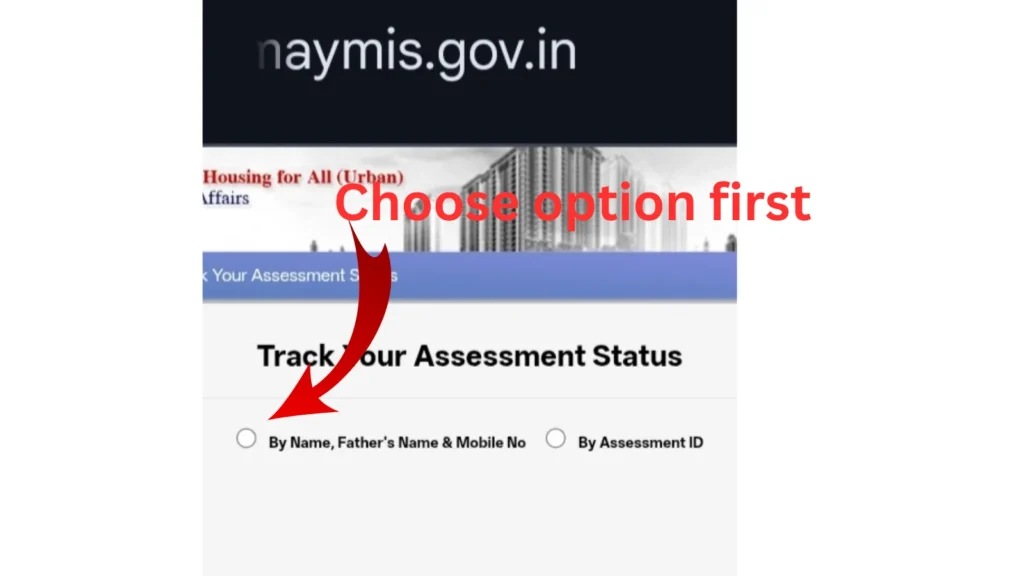
Open the official PMAY tracking page by clicking on this link: pmaymis.gov.in
Step 2
Select the option “By Name, Father’s Name & Mobile No”.
Step 3
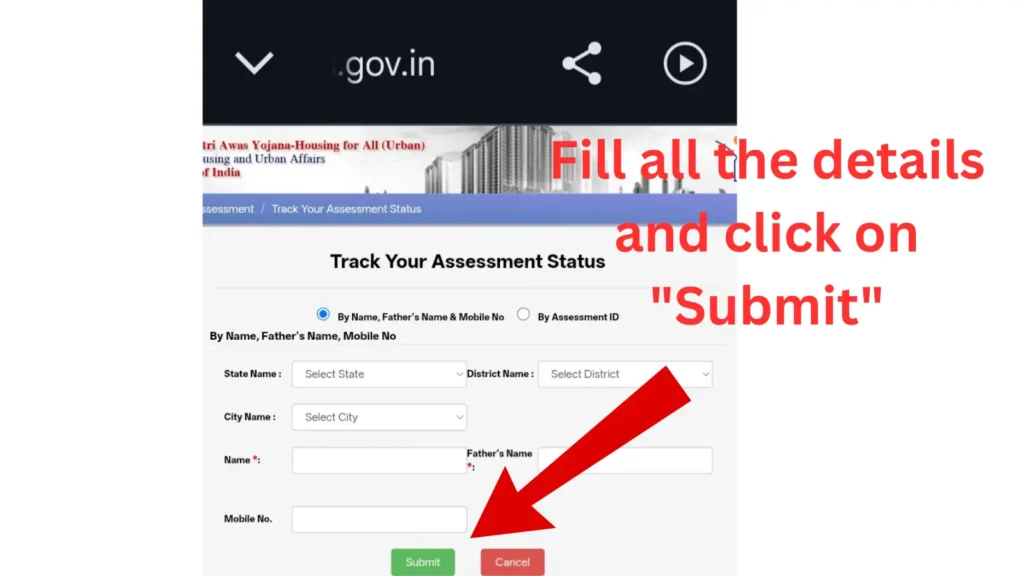
Enter your details:
- State
- District
- City
- Your Name
- Father’s Name
- Registered Mobile Number
Step 4
Click “Submit”; your PMAY Urban application status will then appear.
Common PMAY Status Meanings
| Status | Meaning |
|---|---|
| Pending | Application under review |
| Verified | Documents verified |
| Approved | Beneficiary approved |
| Rejected | Eligibility or document issue found |
| Sanctioned | Financial assistance approved |
5 Common Mistakes I Learned to Avoid
I have observed that many people like us tend to make the following mistakes:
- Aadhaar mismatch – Sometimes, we fill in details in the form that do not match the information on our Aadhaar card.
- Incorrect income details – Always enter your actual income in the form.
- Duplicate ownership records – If you already own a permanent residence, pay close attention to this aspect.
- Selecting the wrong PMAY route – Applying for PMAY through an incorrect website can lead to significant complications. Always use the official portal.
- Missing bank or contact details – Ensure that your bank and contact details are provided clearly and accurately to avoid any issues.
Important FAQs of PMAY
1. Can I apply for PMAY myself?
Yes, you can apply for PMAY yourself through the official PMAY Urban or Gramin portal.
2. How much money for PM Awas Yojana?
PMAY provides financial assistance and interest subsidy depending on income category and eligibility criteria.
3. What is the last date to apply for PM Awas?
The PMAY application deadline may vary; always check the official PMAY portal for updates.
4. Can we apply for PMAY in 2026?
Yes, eligible applicants can still apply for PMAY in 2026 through official government portals.
5. Can an unmarried person apply for PMAY?
Yes, unmarried individuals can apply for PMAY if they meet eligibility and income requirements.
6. Can I sell a PMAY house?
Yes, but selling a PMAY house may involve specific restrictions and government approval conditions.
Conclusion
PMAY India is a highly significant initiative for you, and a great many people are already taking full advantage of this scheme.
Hopefully, reading this blog post has helped resolve your issues.
In this post, I have endeavored to cover every topic related to PMAY (Pradhan Mantri Awas Yojana).
I have also outlined the best method for applying to PMAY; however, if you still have any queries, please feel free to ask me in the comments section.
“Right information makes government schemes useful.”