

Introduction
Every citizen living in India possesses numerous rights.
I have observed that significant changes occur in everyone’s life after turning 18.
India, the world’s largest democracy, follows the principle of Universal Adult Franchise; this means that once you are 18 or older, you can participate in the political process.
I used to think that having a Voter ID card didn’t matter much, but that is not the case.
That is why I have put together a comprehensive guide for you; by reading it, you will not only learn the application process for a Voter ID card but also discover other crucial details related to it.
“The ballot is stronger than the bullet.” — Abraham Lincoln
What is Voter ID Card and and who can Apply for it?
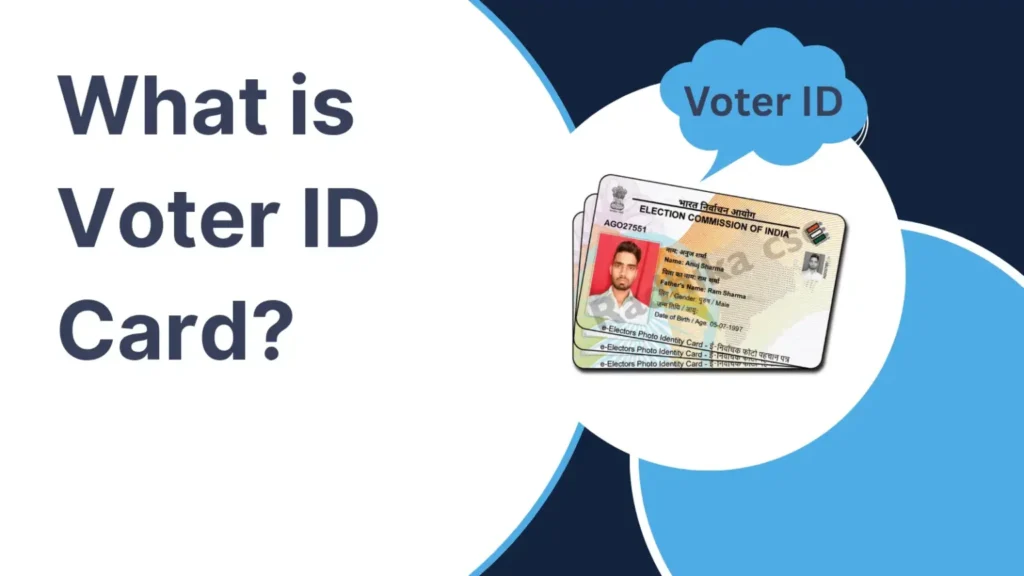
You might think that Voter ID Card is just a voter identity, but it is much more than that.
Voter ID Card is officially called EPIC (Elector Photo Identity Card).
Under Article 326 (Adult Suffrage) of the Indian Constitution, citizens above 18 years of age have the full right to elect their representatives.
Apart from voting rights, Voter ID Card also gives you other rights like:
- Vote in Lok Sabha, Assembly, and local elections.
- Establish your identity in various situations.
- Download a digital e-EPIC version for easy access.
- Verify your name in the electoral roll.
- Participate in democratic decision-making.
According to the Election Commission of India, only a few conditions must be fulfilled to apply for Voter ID. Like:
- Indian Citizen (e.g. Address or Identity proof)
- 18 years or 18+ age
- Address Proof of your Resident where you are living
- Your name should not be registered in another constituency
To know more about Voter ID Card you can check this blog post- Here
Documents which required for Voter ID Card
You do not need to go through a lot of paperwork to get a Voter ID card; you simply need to have a few essential documents.
The required documents are listed here: ↓
- Passport-Size Photograph
- Proof of Age (Any One)- Birth Certificate, Aadhaar Card, PAN Card, Driving Licence
- Proof of Residence (Any One)- Aadhaar Card, Electricity Bill, Water Bill, Gas Connection Bill
- Aadhaar Number (Optional)
Correct your PAN Card details in 5 minutes– In this Way
Step-by-Step Process to Apply for Voter ID Online
When I first heard about the Voter ID card, I thought applying for it would be very difficult.
However, the application process isn’t as hard as it sounds.
By following the method I’ve outlined, you can apply in less than 10 minutes:
Step 1: Open the Official Portal
In every blog post, I emphasize that you should always use government or official portals for any legal procedure.
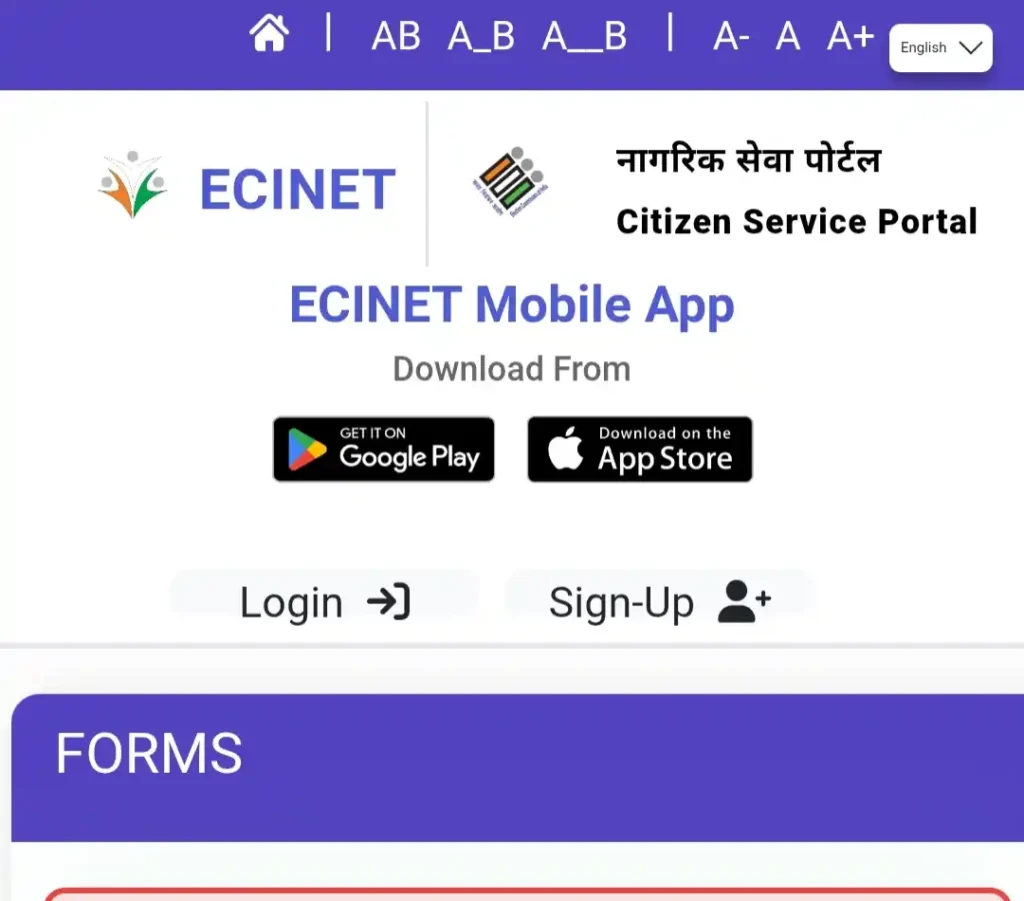
To apply for a Voter ID card, click this link to visit the official page at “voters.eci.gov.in“; the homepage looks like this:
Step 2: Select “New Voter Registration”
After reaching the official website, scroll down a bit.
As you scroll, you will see a section labeled ‘New Voter Registration’.
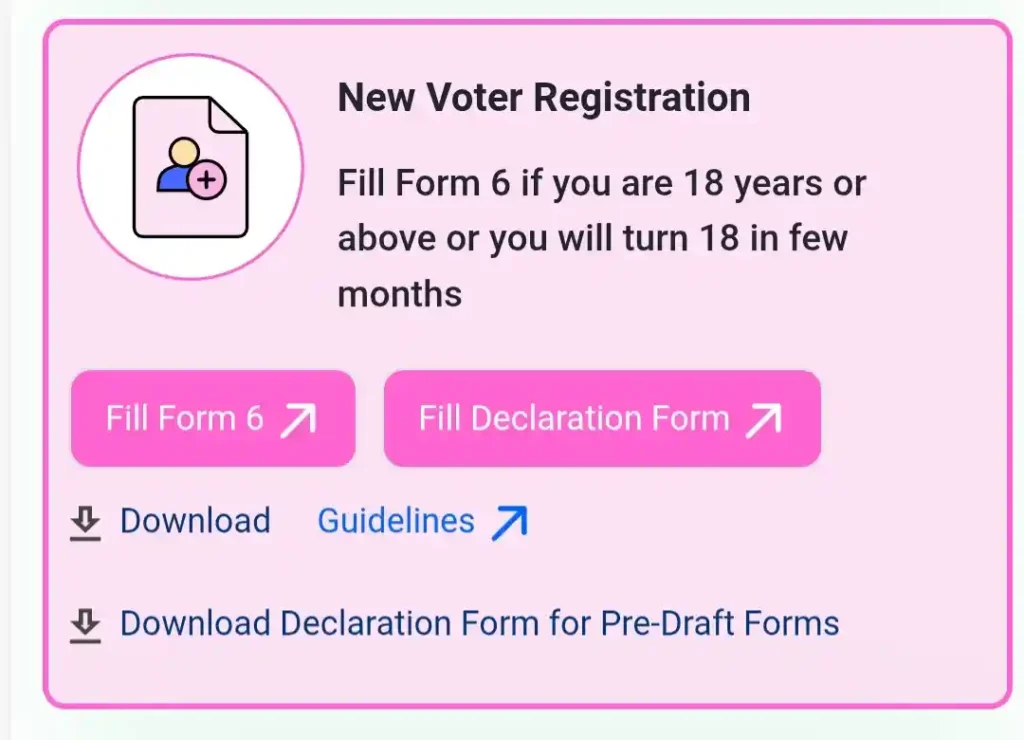
Here, click on ‘Fill Form 6’ and complete the form.
After clicking ‘Fill Form 6’, you will see a login screen; if you are applying for the first time, select ‘Sign-Up’ and log in using your phone number.
Step 3: Enter Personal Details
After logging in, select Form 6 again, and you will be directed to this page.
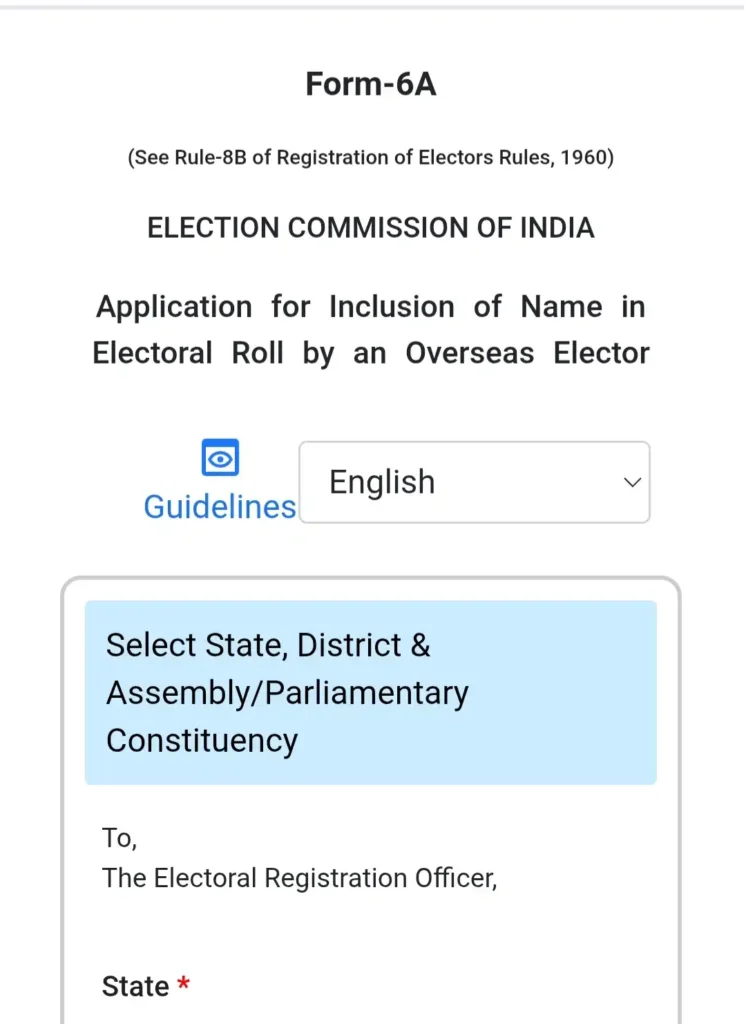
As you scroll down, you will see different sections in this form.
In the first section, you need to select your State, District, and Assembly/Parliamentary Constituency.
In the next section, you need to fill in your personal details, such as:
(a) Name
(b) Last Name
(c) Name of relative
(d) Last Name of relative
(e) Date of Birth (dd/mm/yyyy)
(f) Place of Birth, etc.
Step 4: Enter Residential Address
Although residential details technically fall under personal details, the government has categorized them into separate sections.
You will see a section labeled ‘Address in India as mentioned in original passport’ where you need to enter your residential details, such as:
- House No.
- Street/Area/Locality
- Town/Village
- Post Office
- District
- PIN Code
In the next section, you need to enter your current passport details.
In the section following that, you must fill in visa details such as the visa number, date of issue, date of expiry, etc.
Make your own Domicile Certificate of Delhi— Check here

Step 5: Fill in other details
Along with personal and residential information, you also need to provide other details such as Aadhaar information, date of birth, etc.
Step 6: Upload documents
In the relevant section, click on the ‘Choose file’ option to upload photos of the required documents.
You will generally need the following documents:
- Proof of age
- Proof of address
- Passport-size photograph
Step 7: Submit Form 6
After completing all these steps, you need to submit Form 6.
*Note: Make sure to review all your details after filling them in and uploading the required documents.
Failure to review the details carefully could lead to significant problems later on.*
Step 8: Save Your Reference Number
Many people who apply for a Voter ID card fail to save their reference number after submitting Form 6.
However, saving the reference number is crucial, as you will need it to track the status of your application.
What Happens After Submission of Voter ID Card?
I used to think that once I applied for a voter ID card, the approval would happen automatically, but I was wrong.
After submission, there is a secure verification process that usually involves:
- Application submitted.
- Booth Level Officer (BLO) receives the request.
- Field verification may be conducted.
- Electoral Registration Officer reviews the application.
- EPIC number is generated.
- e-EPIC becomes available.
- Physical card is dispatched.
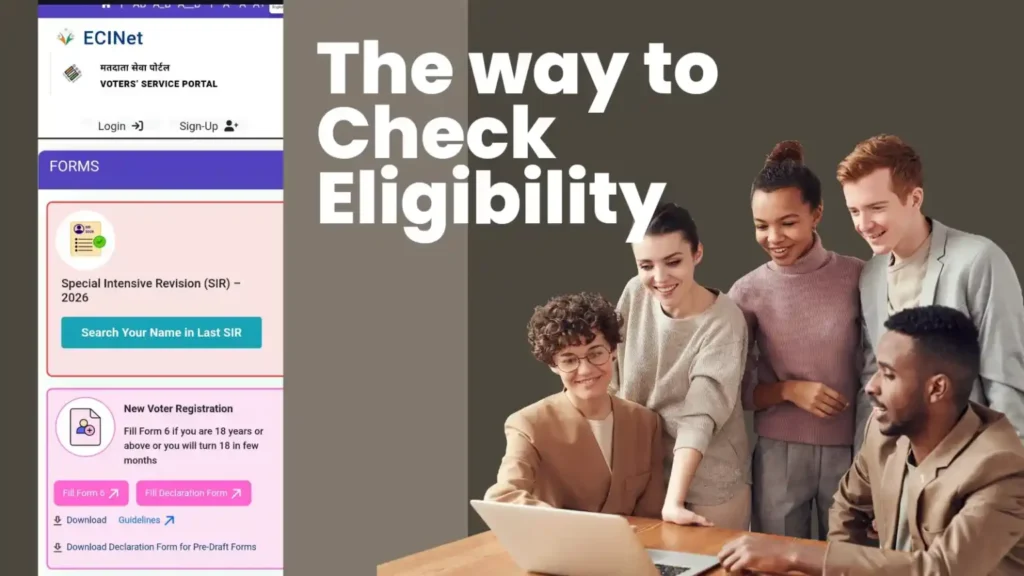
After completing these steps, you receive your online voter ID card, which you can then print physically.
How Long Does Voter ID Approval Take?
There is no fixed time for Voter ID card application approval.
Application approval depends primarily on document verification, Booth Level Officer (BLO) verification, and the workload in your constituency.
Generally, the timeline looks something like this:
| Stage | Estimated Time |
|---|---|
| Application Submission (Form 6) | Same Day |
| BLO Verification | 1–3 Weeks |
| Approval by Electoral Registration Officer | 1–2 Weeks |
| e-EPIC Availability | Usually after Approval |
| Physical Voter ID Delivery | Within 15 Days after Approval |
Voter ID Track status
After applying for a Voter ID card, you likely want to know the current status of your application.
The Election Commission of India (ECI) provides a ‘Track Status’ option for this purpose.
You can instantly check the status of your Voter ID card by following these two steps:
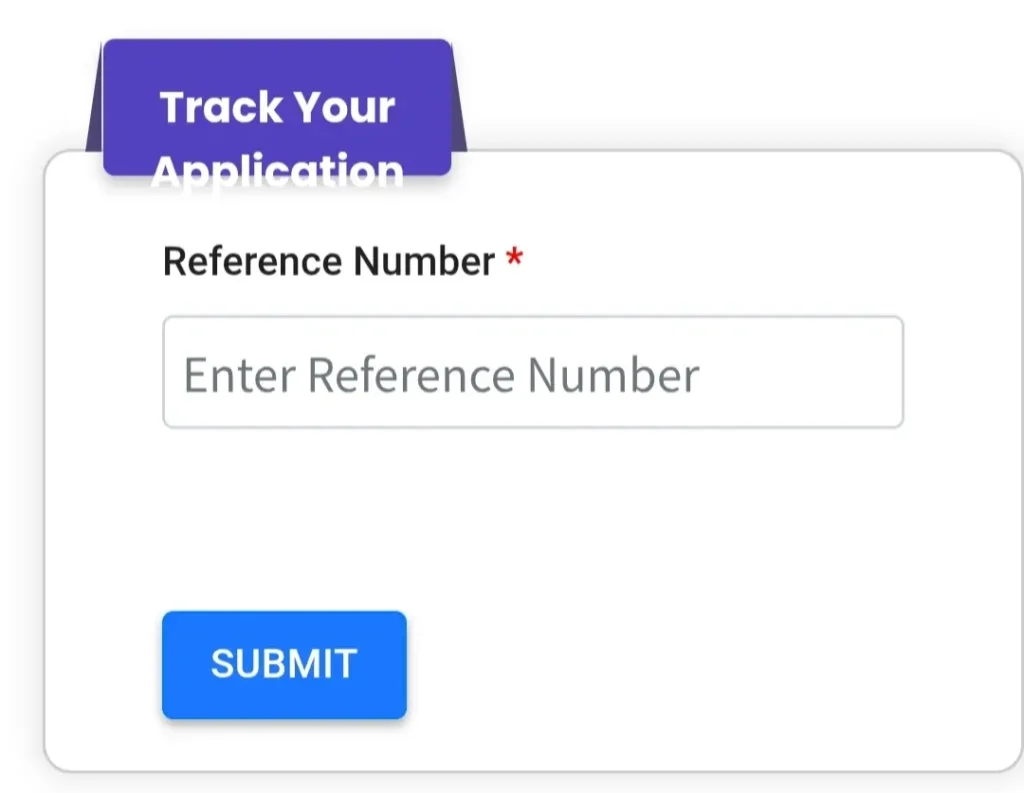
- Step 1: First, log in, go to the ‘Services’ section, and select the ‘Track Application Status’ option.
- Step 2: Enter the Reference Number.
In the next step, simply enter your Reference Number (as I mentioned earlier).
Common Mistakes That Delay Approval
Sometimes, knowingly or unknowingly, you make mistakes that cause a delay in the processing of your Voter ID card.
Based on my experience, I have observed that people generally make the following common mistakes:
- Improper Documents: In a rush, people sometimes upload blurred or low-quality images that are difficult to verify.
- Incorrect Date of Birth: Nowadays, many of us have two dates of birth—the one used in official documents and the one we actually celebrate. Therefore, ensure you enter the date of birth exactly as it appears on your Aadhaar card.
- Wrong Constituency Selection: Like me, you might not be aware of your area’s specific constituency; it is crucial to identify the correct constituency first to avoid any issues.
- Duplicate Registration: Registering again after having already completed the actual registration results in a duplicate entry; therefore, wait for the process to complete after submitting your application.
- Unreachable Mobile Number: There is no point in providing a number that prevents you from verifying the OTP; always use a valid, accessible number.
Most important FAQs for Voter ID Card
1. Where is Voter ID number on voter card?
The Voter ID number (EPIC number) is usually printed on the front of the card.
2. Is Voter ID mandatory in India?
No, Voter ID is not mandatory, but voter registration is necessary to vote.
3. What is the minimum age for Voter ID card?
You must be 18 years old on the qualifying date for registration.
4. When will I get Voter ID card after applying online?
Physical Voter ID is generally delivered within 15 days after approval.
5. What is the importance of Voter ID card?
It enables voting, proves identity, and confirms your registration in electoral rolls.
6. What is Voter ID card officially called?
Voter ID card is officially called EPIC (Electors Photo Identity Card).
Conclusion
If you think applying for a Voter ID card is very difficult, you should read my article again.
I have covered the most important and effective topics in this article.
And if you still have any queries or face any problems with the application, you can let me know in the comments.
“We do not have government by the majority. We have government by the majority who participate.”
Related Readings: