
Introduction
Buying a car in India isn’t as difficult as getting a driving license.
However, there are some things about the driving license that are crucial for you to know.
If you have bought a new car or already own a vehicle, you can apply for a driving license immediately.
And if you apply using the method I’m sharing, there is a 99.9% chance you will get your Delhi driving license.
Let’s take a look at it now.
What is Driving Licence (DL) and Why we need it?
In India, a driving licence is an official legal document issued by the government.
It authorizes you to drive your private vehicle on public roads in India.
Your driving licence is issued by the Regional Transport Office (RTO) under the Motor Vehicles Act, 1988.
“A licence brings responsibility.”
Why do We need DL?
As I mentioned, this is a crucial official document issued by the RTO.
Therefore, you need a driving licence, but it also serves various other legal purposes, such as:
- Driving Permit
- Road Safety
- Identity Proof(Domicile Certificate)
- Vehicle Insurance Claims
- Prevents Traffic Violations
- International Driving Permit (IDP)
How to apply for Driving Licence Licence in Delhi?
The online application facility provided by the Indian government has made the application process very easy.
Applying for a driving license in Delhi has now become very simple.
You can apply in less than 10 minutes by simply following the steps I have outlined:
Step 1: Visit Official Portal
As I always advise, you should use the official portal for any legal procedure.
To apply for a Driving Licence (DL), you need to visit the official website: Parivahan Sewa.
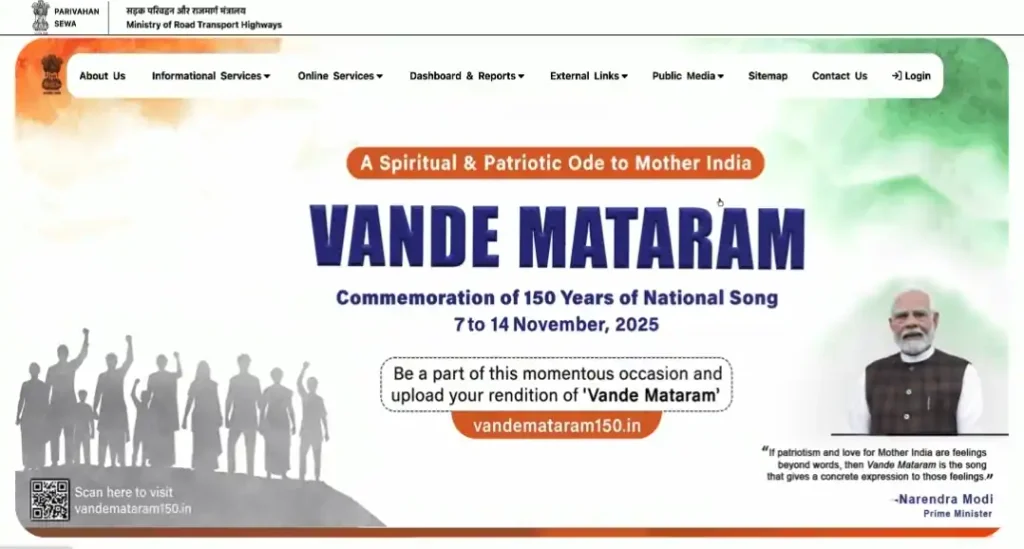
You can visit the site by searching for “Parivahan Sewa” on Google or by clicking this link.
Once on the official website, if you scroll down a bit, you will see an option labeled “Drivers/Learner Licence.”
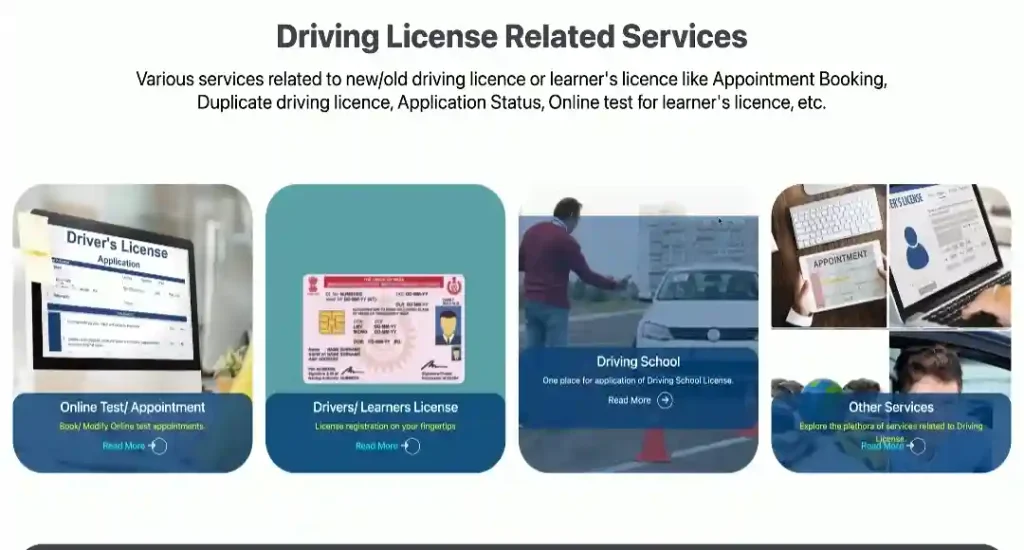
Step 2: Select your State and Category
After clicking on “Learner’s Licence,” you will be directed to the next page where you need to select your state (e.g., Delhi).
Once the state is selected, you will see an interface similar to this:
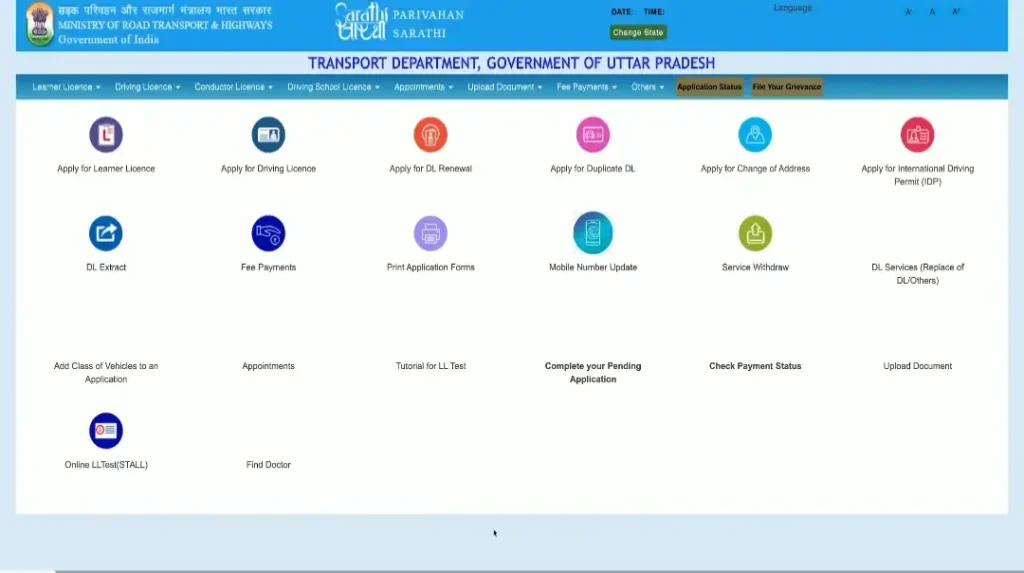
You will see a list of available services; click on the first one, “Apply for Learner’s Licence.”
Important: You will see two similar options on this page—”Apply for Learner’s Licence” and “Apply for Driving Licence”—so make sure to choose the first option.
Next, you will arrive at a page displaying the application stages; click “Continue” to proceed.
After clicking “Continue,” select your category (SC/ST, OBC, or General).
→Apply for Caste Certificate Free
Then, click “Submit.”
After submitting, you will be directed to this page:
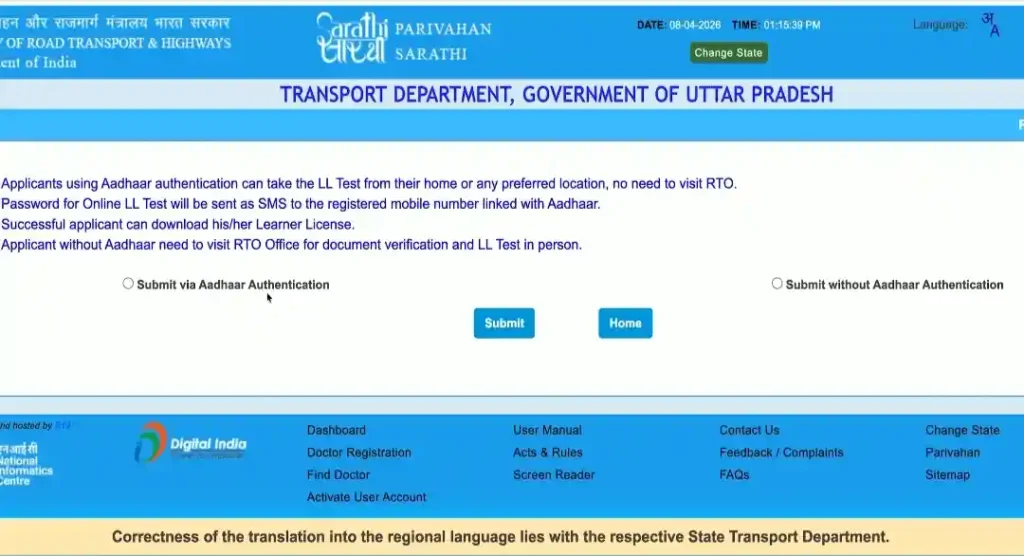
On this page, simply select the first option, “Submit via Aadhaar Authentication,” and click “Submit.”
Step 3: Aadhar Authentication
After selecting the ‘Via Aadhaar Authentication’ option, enter your Aadhaar number and click on ‘Generate OTP’.
Next, enter the OTP received on your mobile number in the second box, accept the terms and conditions listed below, and click on ‘Authenticate’.
After clicking ‘Authenticate’, your Aadhaar details will be displayed as shown here.
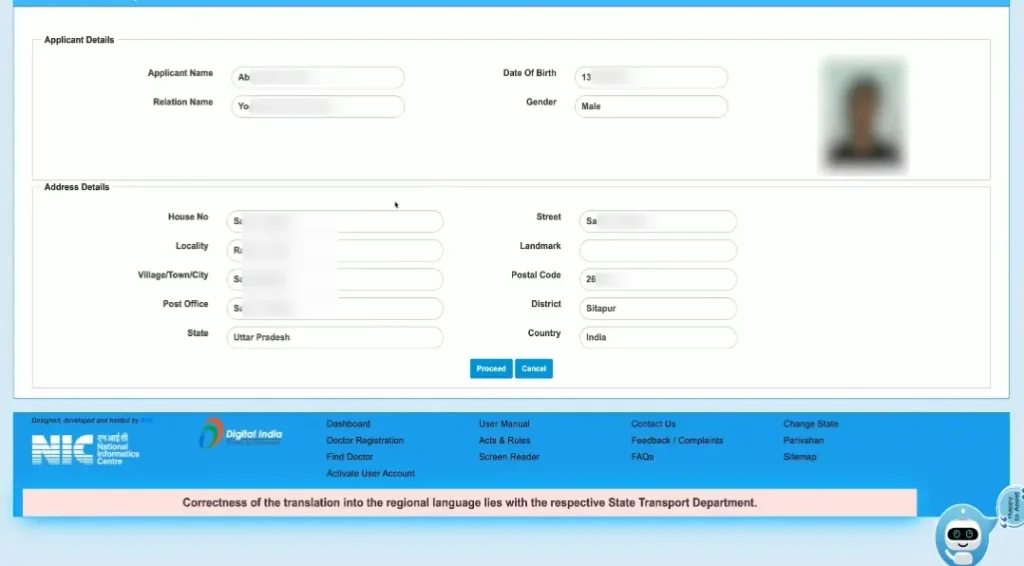
Now, simply click on ‘Proceed’ to move to the next step.
Step 4: Enter Your Details
After proceeding, a pop-up will appear; you need to agree to it to move forward.
You will now see an interface where you first need to enter some personal details.
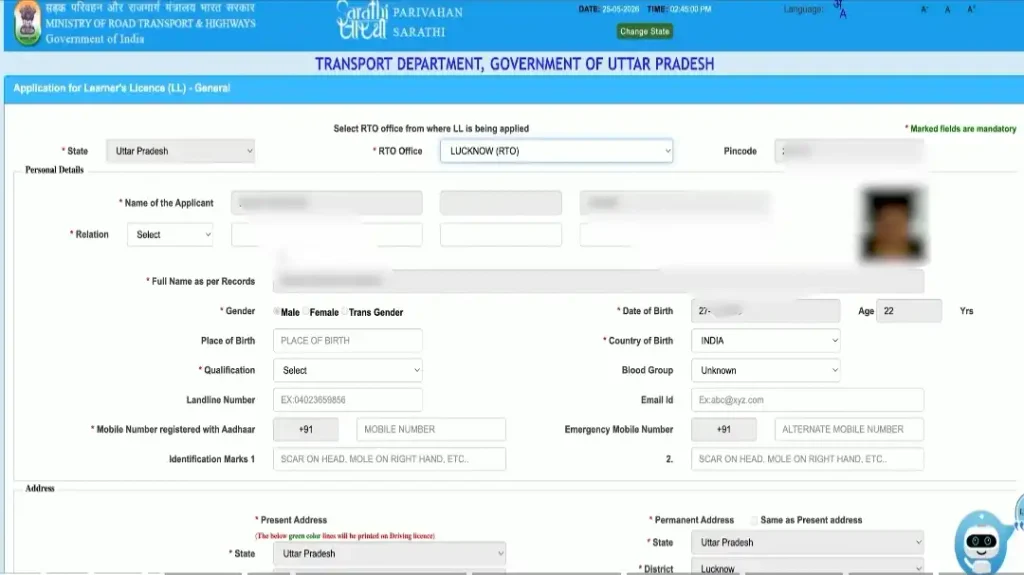
Here, you will see details related to your Aadhaar already filled in, but there are some details you will need to enter manually, such as:
- RTO Office
- Place of Birth
- Mobile Number
- Blood Group(Optional)
- Email Address
In the second section, you’ll fill in your address details, such as:
• Present Address
• Permanent Address
After filling in your address details, scroll down a bit and you’ll see something like this.
Now, in the Vehicle section, you’ll need to select which vehicle you want a driving license for.
For example:
- Bike → Motorcycle with gear
- Car → Light Motor Vehicle
- Truck/Bus → Adapted Vehicle
Leave the questions just below this section blank.
Step 5: Complete Self Deceleration Form
You need to click on the yellow box and answer the questions asked for the Self-Declaration.
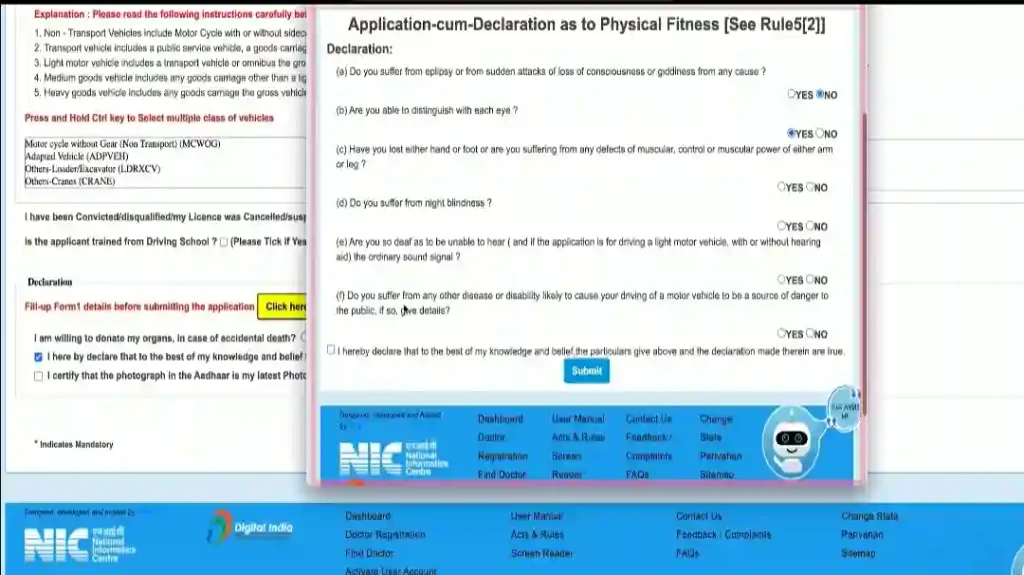
You have to answer the 5 questions shown in this image.
For the second question, select “Yes,” and for all other questions, select “No.”
After that, enter the reCAPTCHA code and click on “Submit.”
Once submitted, you will receive an “Application Reference Slip”; save it and click on “Next.”
You will now see the application status, which will look something like this.
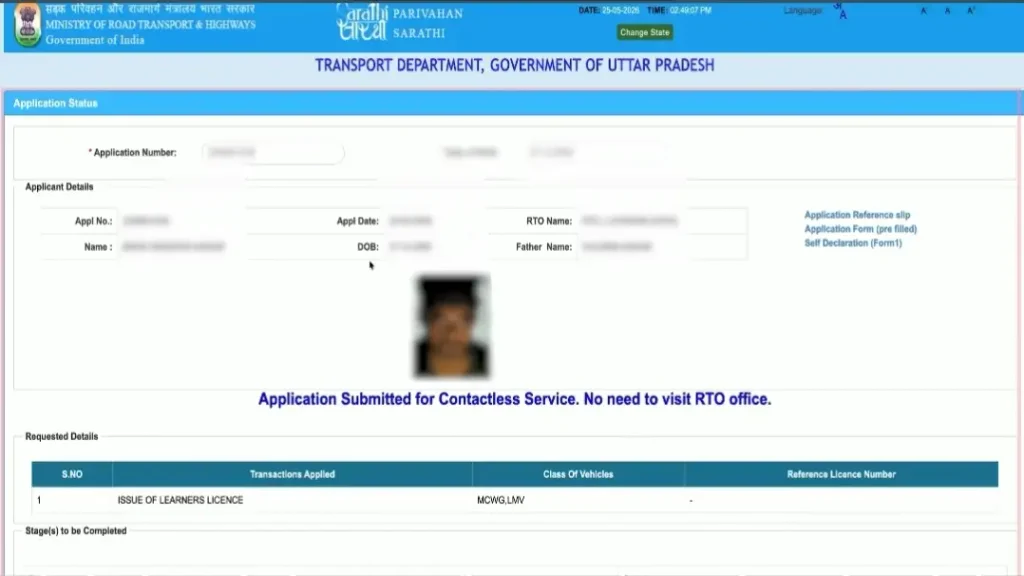
Next, scroll down a bit and click on “Proceed.”
After clicking “Proceed,” you will need to accept the self-declaration on the next page.
Step 6: Upload Documents
Right below the ‘Self-Declaration’ section, you will see the ‘Documents’ section where you need to upload your documents.
Here, you will see a list of documents; please select the appropriate one from the list.
You need to do the same for the ‘Proof’ section as well.
After filling in the document details, you must upload an image of the selected document in the final section.
Note: The image must be completely clear and legible, and the file size must be under 500 KB.
Step 7: Upload Your Image and Signature
After successfully uploading the documents, when you reach the next page, you need to upload your photograph and a picture of your signature.
Step 8: Fee Payment
After successfully completing the 7 steps, you will need to pay the fee to get your driving license issued.
To do this, click on the process option again, and you will see an interface like the one shown below.
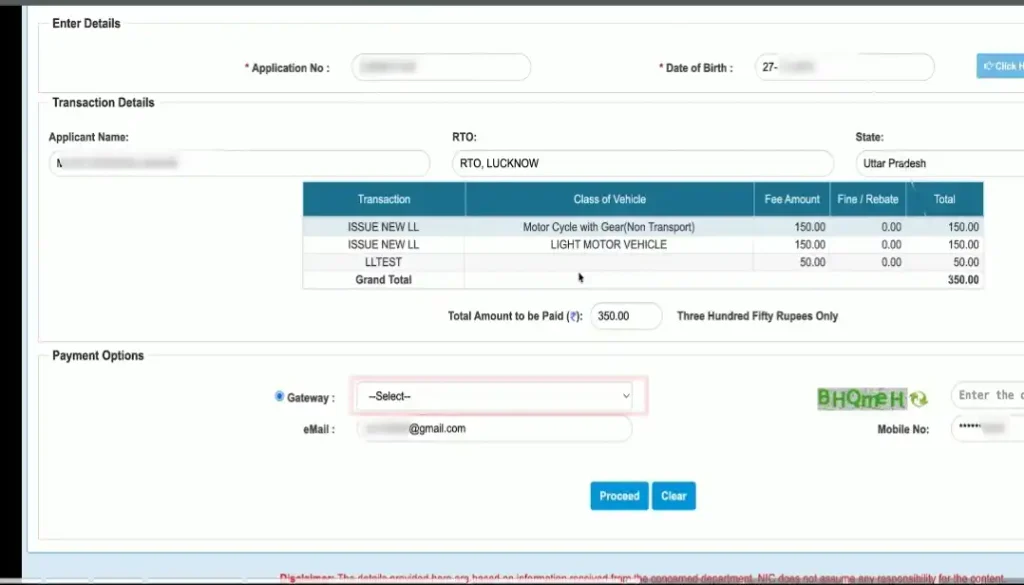
The fee amount depends on the type of license you are applying for.
For example, if you want a driving license only for a car, you will have to pay ₹150; if you want a DL for both a bike and a car, you will have to pay ₹150 + ₹150 + ₹50 (LL Test) = ₹350.
Next, agree to the terms and conditions and make the payment.
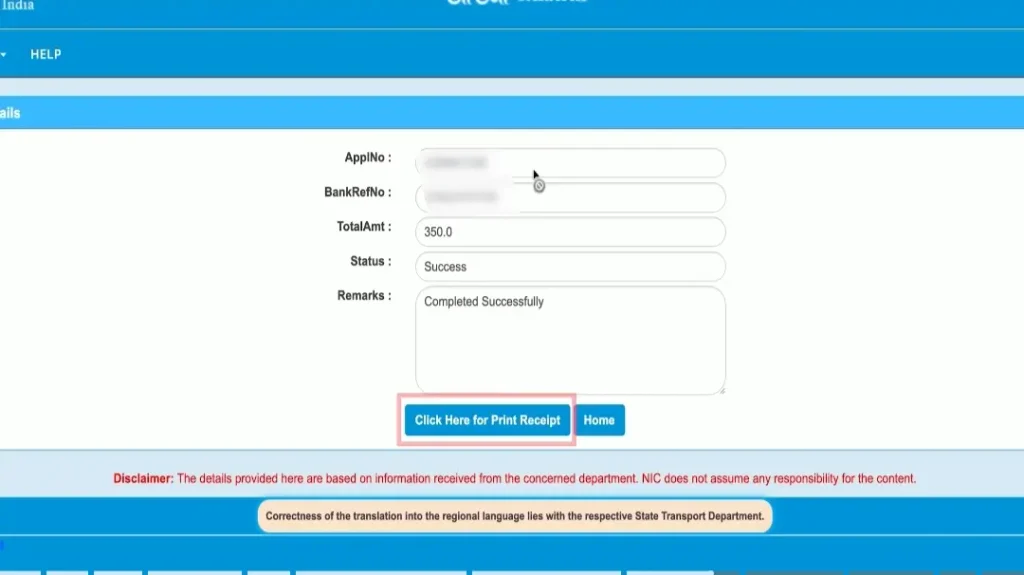
Once the payment is successful, the page will reload, and you will see an interface like the one shown below.
Step 9: Get Receipt of Your DL
Now, click on “Click here for Receipt,” enter the reCAPTCHA code, and click on “Get Details.”
You will then see an interface where you need to select the entry and click on “Print Receipt.”
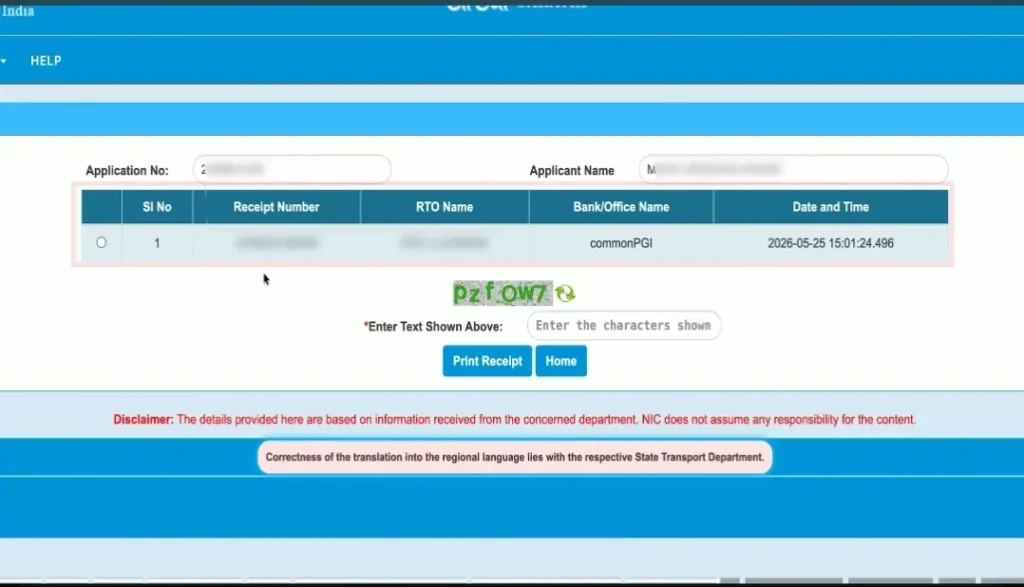
You will now see your Driving Licence receipt, which you can also print out.
However, your task doesn’t end here; there are a few more things you need to know about this.
What are the fees for applying for a driving licence online in Delhi?
Driving license fees in all states vary according to the vehicle.
Like if you want to apply for DL in Delhi then you will have to pay accordingly:
| Service | Fee (₹) |
|---|---|
| Learner’s Licence Application | ₹150 |
| Learner’s Licence Test | ₹50 |
| Driving Test (Permanent DL) | ₹300 |
| Issue of Driving Licence | ₹200 |
| Smart Card Driving Licence (if applicable) | ₹200 |
| Renewal of Driving Licence | ₹200 |
| Duplicate Driving Licence | ₹250 |
| Addition of New Vehicle Class | ₹500 |
| International Driving Permit (IDP) | ₹1,000 |
Check NEP 2026— Key Changes in Education
What documents are required for a driving licence in Delhi?
You do not need to carry many documents to apply for a driving license.
Before applying for DL, you have to make LL(Learners License) for which you need these documents.
For Learner’s Licence (LL)
- Proof of Age (Aadhaar Card, Birth Certificate, Passport, School Certificate, etc.)
- Proof of Address (Aadhaar Card, Voter ID, Passport, Electricity Bill, Water Bill, etc.)
- Form 1 (Self-Declaration of Physical Fitness)
- Form 2 (Learner’s Licence Application Form)
- Recent Passport-Size Photographs
- Form 1A (Medical Certificate, if applying for a transport/commercial licence or in applicable age categories)
- Prescribed Application Fee
Driving licence application status Delhi
It is much easier to check application status.
I followed the Applying Process as you told me, 2-3 steps have to be followed.
First of all, when you come to the Parivahan website, you have to click on the Application Status shown above.
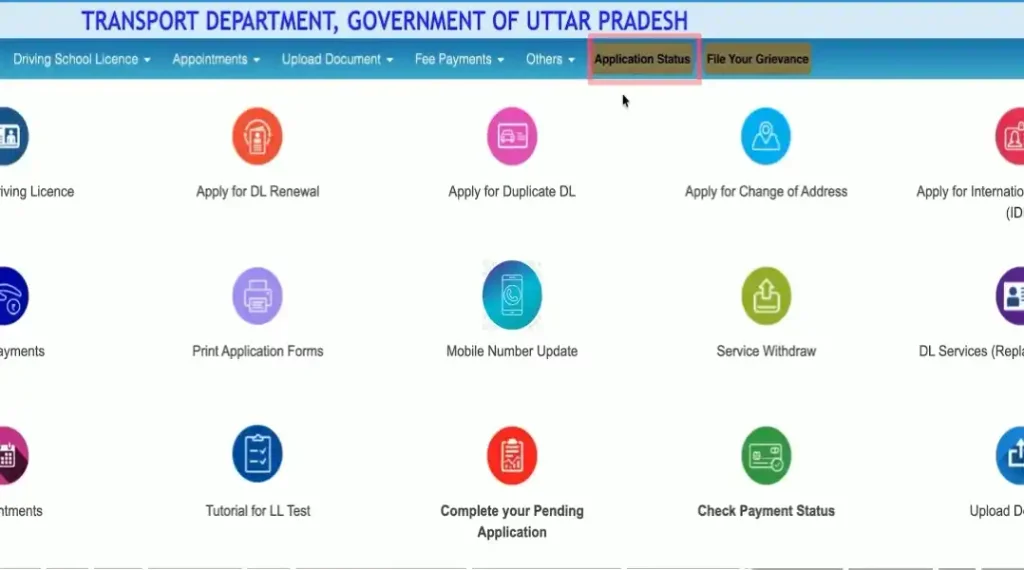
Next fill the Application number and Aadhaar wali Date of Birth, fill reCaptch code and submit.
Then, you will see your DL application status.
Most important FAQs for Driving Licence
1. Is LL compulsory for DL in India?
Yes, a valid Learner’s Licence (LL) is mandatory before applying for a Driving Licence (DL).
2. What if I fail the LL test?
You can reappear for the Learner’s Licence test after the prescribed waiting period.
3. How much time for DL after LL?
You can apply for a Driving Licence 30 days after obtaining your LL.
4. How many days is LL valid?
A Learner’s Licence remains valid for 6 months (180 days) from issuance.
5. How many times can we give an LL test?
There is no fixed limit; you can retake the LL test until you pass.
Conclusion
No matter which state you live in, you can apply for DL anywhere and anytime by following the simple steps given by me.
Before getting a Driving License you will have to apply for a Learner’s License.
If you have any queries related to Driving License, you can write to me in comment.
“Drive safe, drive legal.”
Further Readings: